
Download FPDF – PDF generator, PHP library, document creation, free PDF tool, PHP developer tool, create PDFs
Overview
FPDF is a lightweight, open-source PHP class designed for generating PDF files directly from server-side code without relying on external libraries such as PDFlib. Its primary purpose is to empower developers with a reliable, self-contained solution for automating document creation, particularly in web applications. The tool is especially useful for generating invoices, reports, certificates, and other structured documents that require consistent formatting and professional presentation. By integrating seamlessly into PHP environments, FPDF helps streamline workflows in environments where dynamic PDF generation is essential.
Target users include PHP developers, web application creators, and backend engineers working on systems that require automated document output. The tool is particularly valuable in e-commerce platforms, content management systems, and enterprise software where recurring document generation is part of daily operations. FPDF’s design philosophy emphasizes simplicity and efficiency, making it accessible even to developers with intermediate PHP knowledge. While the developer team behind FPDF is not explicitly detailed in the provided data, its long-standing presence in the developer community since its release on February 14, 2011, speaks to its reliability and enduring relevance.
FPDF plays a significant role in the PHP ecosystem by offering a free, secure, and standalone alternative to proprietary PDF generation tools. Its ability to function without additional dependencies enhances deployment flexibility across various hosting environments. Whether used in small-scale projects or large-scale applications, FPDF remains a trusted utility for developers seeking a straightforward way to create PDFs programmatically.
Key Features & Functionality
- Custom Measurement Units: Developers can define document dimensions using various units such as millimeters, inches, or points, allowing precise layout control tailored to specific design standards or international requirements.
- Header and Footer Management: FPDF enables the inclusion of consistent headers and footers across all pages, supporting dynamic content like page numbers, timestamps, or branding elements to maintain a professional appearance.
- Image Integration: The library supports JPEG and PNG image formats, allowing developers to embed logos, charts, diagrams, and other visual assets directly into generated PDFs for enhanced clarity and visual appeal.
- Font Customization: Full support for TrueType and Type1 fonts gives developers flexibility in typography, enabling them to match brand guidelines or achieve specific aesthetic goals in their documents.
- Text Justification and Alignment: FPDF provides options for left, right, center, and justified text alignment, improving readability and ensuring clean, structured layouts in complex documents.
For example, a developer building an invoice system can use FPDF to generate a PDF invoice with a company logo, formatted pricing tables, page numbers in the footer, and custom fonts that reflect the brand identity. Similarly, an educational platform might use FPDF to create downloadable certificates with dynamic text fields and standardized layouts. These real-world applications highlight how FPDF’s features translate into practical benefits for developers and end users alike.
Interface, UX & Performance
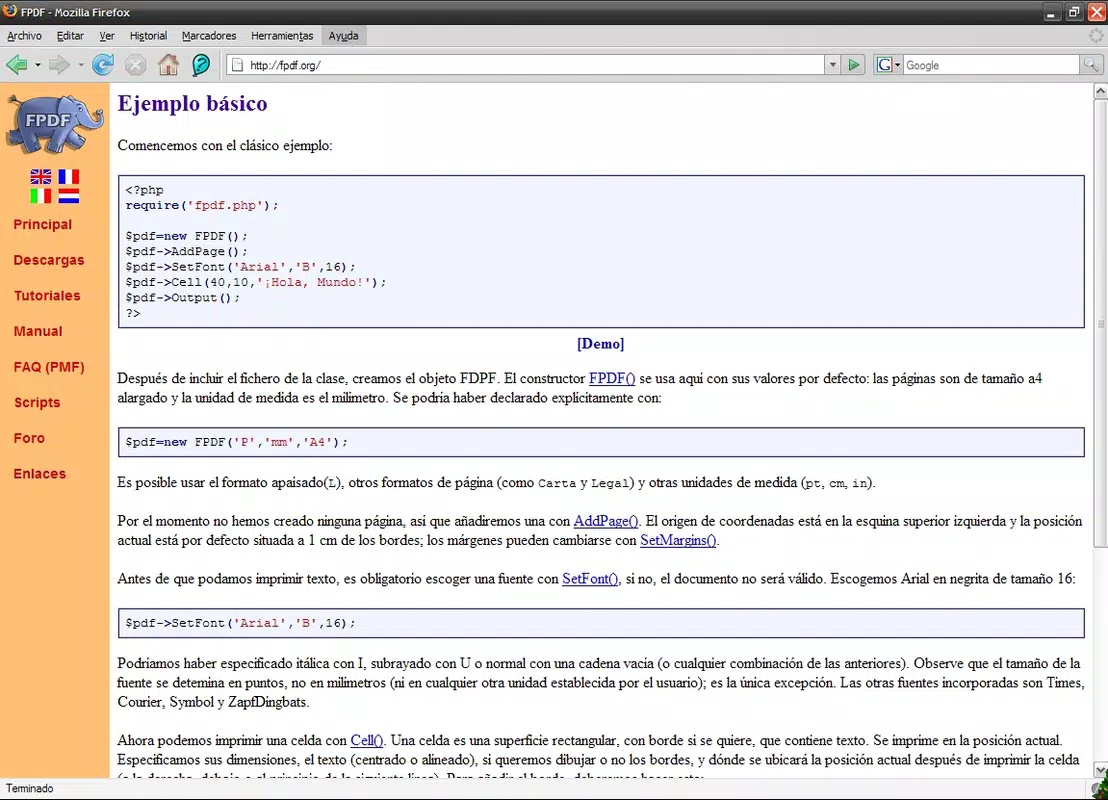
As a server-side PHP library, FPDF does not have a traditional user interface. Instead, its interface is defined by the code structure and API it exposes to developers. The class-based design offers a clean, logical flow that aligns with standard PHP programming practices. Developers interact with FPDF through method calls, making it easy to integrate into existing workflows without requiring a learning curve for visual design tools.
Navigation within the library is purely code-driven, with functions organized around document creation, content placement, and formatting. The ease of use stems from its straightforward syntax and well-documented methods, which contribute to a positive developer experience. Although the developer did not list formal performance metrics, the library’s minimal footprint—only 124 KB in size—suggests efficient resource usage and fast execution times, particularly suitable for high-volume document generation tasks.
Performance across different device categories is not applicable in the traditional sense, as FPDF operates on web servers rather than mobile devices. However, its lightweight nature ensures compatibility with a wide range of hosting environments, including shared hosting, VPS, and cloud platforms. Responsiveness and stability are maintained through consistent code behavior and minimal external dependencies, making it a dependable tool in production environments.
Platform Compatibility & Technical Requirements
FPDF is a web-based PHP library, meaning it operates within server-side environments rather than on mobile devices. It is designed to run on any system that supports PHP, including Linux, Windows, and macOS servers. The platform is not tied to a specific mobile operating system, so it cannot be installed directly on Android or iOS devices.
The current version is 1.81, and the file size is 124 KB. The developer did not specify minimum OS requirements or PHP version constraints, so compatibility may vary depending on the hosting environment. Developers are advised to verify PHP version compatibility and ensure that necessary extensions (such as GD for image handling) are enabled on their server.
While FPDF is not a mobile application, its integration into web applications means it indirectly supports mobile access when those applications are viewed on smartphones or tablets. For developers seeking to generate PDFs from mobile web apps, FPDF remains a viable backend tool.
Pros and Cons
Pros
- Free and open-source with no licensing costs
- Lightweight at only 124 KB in size
- No external dependencies required
- Supports multiple image formats (JPEG, PNG)
- Flexible font and unit support for precise layout control
- Well-documented and widely used in the developer community
Cons
- Not a mobile app; cannot be installed directly on smartphones
- Lacks built-in support for advanced features like form fields or digital signatures
- Requires PHP knowledge for implementation
- Developer did not provide detailed technical requirements or version compatibility
- No native mobile interface or real-time preview functionality
FAQ
Is FPDF safe to use?
Yes, FPDF is a trusted, open-source library with a long history of secure use in production environments. As it runs on servers and does not require external dependencies, it minimizes potential vulnerabilities.
Can I use FPDF on mobile devices?
FPDF is not a mobile application and cannot be installed directly on Android or iOS devices. However, it can be used on the backend of mobile web applications to generate PDFs that are then accessed from mobile browsers.
Is FPDF free to download and use?
Yes, FPDF is completely free to download, use, modify, and distribute under its open-source license.
What versions of PHP are supported?
The developer did not specify the required PHP version. It is recommended to test compatibility with your current PHP environment and ensure that necessary extensions are enabled.
Does FPDF support dynamic content like user data?
Yes, FPDF can generate PDFs with dynamic content such as user names, dates, and custom data fields by integrating with PHP scripts that pull data from databases or forms.
Final Thoughts
FPDF remains a cornerstone tool for PHP developers seeking a reliable, lightweight solution for PDF generation. Its ability to create professional, customizable documents without external libraries makes it an invaluable asset in web development workflows. While it is not a mobile app and lacks a visual interface, its robust feature set, ease of integration, and minimal overhead deliver strong value for developers focused on automation and document output.
For PHP developers, web engineers, and backend teams building applications that require consistent PDF generation, FPDF offers a secure, efficient, and future-proof solution. Its enduring popularity and widespread adoption are testaments to its effectiveness and reliability.
Download FPDF now


